Leonard Ray Conradson
Gameplay Designer
Summer's End
Summer's End is a study of both the combat design and technical
challenges that underpin melee combat in 'Ghost of Tsushima'.
Development Time: 9 weeks full time (18 weeks part time)
Team Size: Solo Role: Gameplay & Technical Design
Tech: Unreal Engine 5, Blueprints (Visual Scripting), Draw.io
Project Overview
Over the summer I fell in love with Ghost of Tsushima’s (GOT) melee combat, the deliberation each strike asks of the player, the struggle to break an enemy's block and the swift takedown that follows. I made this project in an attempt to better understand the design decisions that make GOT and other AAA melee game’s combat systems tick.
- Use the gritty samurai fantasy to inform design decisions around animations, timings & controls.
- Research commonly used mechanics and concepts in third-person melee combat games.
- Discover combat design problems & technical solutions used in industry.
- Offer meaningful choices between heavy & light attacks, evades and blocks.
.png)
Gamepad & Keyboard Controls
Character Movement = Left Analog Stick / WASD
Sprint = Down on Analog Stick / Left Shift
Evade = Right Face Button / E-Key
Heavy Attack = Right Shoulder Bumper / Right Mouse Button
Light Attack = Left Shoulder Bumper / Left Mouse Button
.png)
Targeting
Designing the targeting system took a while. I first needed to understand the difference between a hard-lock and a soft-lock. Then came the parameters, enemy tracking method, and testing the tracking ranges.
A soft-lock system adapts to the closest enemy and softly guides the player. It is the most commonly used targeting system in GOT.
A hard-lock needs to be manually changed by the player and functions explicitly, like in Dark Souls.
.png)

.png)


Sliding Gallery
Attack Range & Range Tooling
For this project I developed a dynamic attack range that can be lengthened or shortened based on certain conditions. The primary condition was whether or not motion warping would be used.
.png)

Design
Addressing Input Buffering
.png)


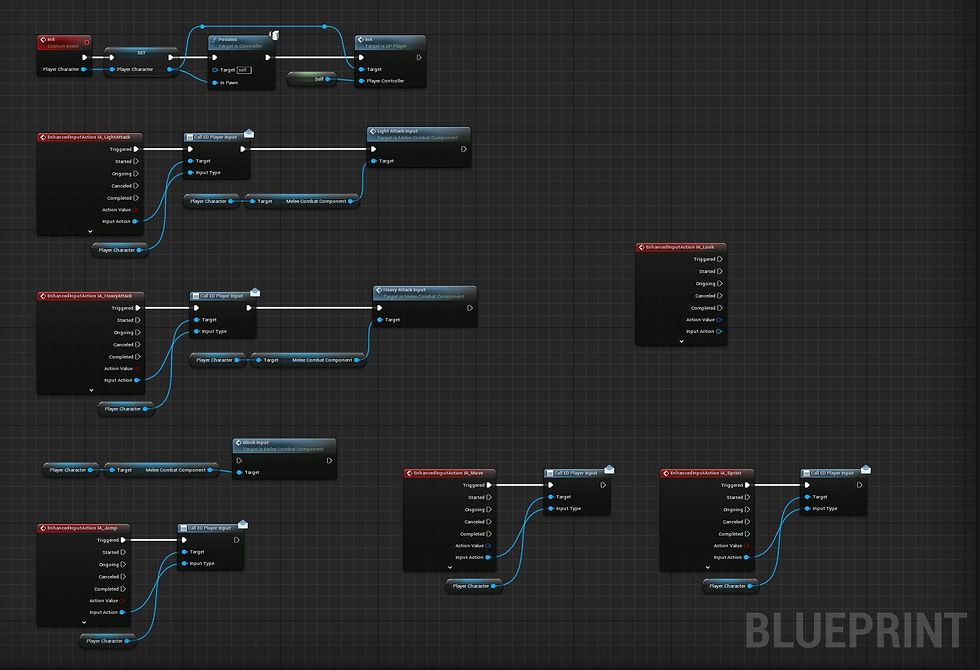
Script Gallery
Attacks & Animations
.png)
.png)
.png)


Script Gallery
Motion Warping - Turn & Lerp Tools
.png)
.png)
.png)


Script Gallery
Blocking
.png)
AI, EQS & First Enemy Type Development
.png)